
Column mapping
After parse, each schema field can point at one uploaded header (or ignore).
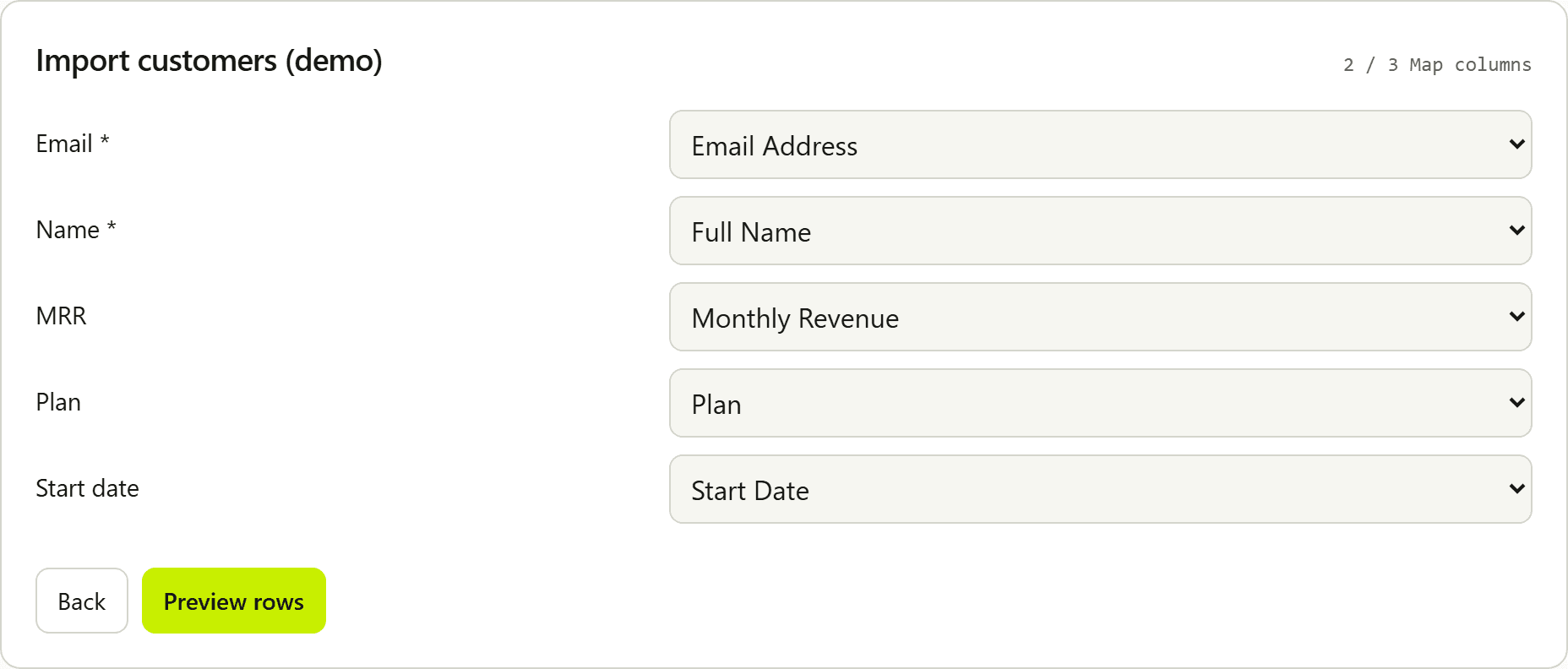
Auto-map
Headers and field key, label, and optional aliases are normalized (trim, lower case, strip spaces, _, -). Exact normalized matches score highest; stem and substring matches score lower. A 1–2 character key or label matches a whole header token (ID, User ID, user_id, userId) and does not match inside a longer word (Paid, Middle Name). A glued lowercase userid header needs an alias or a manual map. Pairings are assigned strongest-first so field declaration order cannot steal a better alias. Each header is used at most once during auto-map. Unmatched fields start as ignore.
Use aliases for CRM-style headers (Email Address, E-mail, Work Email) that will not match your field key alone.
Manual map
Users can change the select per field. Mapping a header to one field clears that header from other fields so two required fields cannot silently share one column. Changing the map re-runs validation.
Preview is disabled until every required field has a mapped column. The map step lists which required labels are still missing.
Saved mapping in this browser
After the user confirms the map step (Preview rows), field-to-header mappings are stored in this browser's localStorage. The key is a schema fingerprint (field keys, types, required, aliases) plus optional importerId. The next file with the same fingerprint prefills that mapping and shows a dismissible Applied saved mapping notice. File contents, rows, and filenames are never stored. At most about 20 fingerprints are kept (LRU).
Excel sheets
Multi-sheet workbooks show a sheet selector above the field maps. Switching sheets re-parses that worksheet and re-runs auto-map.
Header row
Spreadsheets often start with a title or "generated on" row. The map step shows a Header row picker. Auto-detect scans the first 10 non-empty rows and prefers the one that best matches field keys, labels, and aliases. The user can override. Rows above the chosen header are skipped. Column dropdowns include sample values from the file so cryptic headers are easier to identify. CSV delimiter detection uses those same leading rows and ignores separators inside quoted cells, so a title line without separators does not collapse a semicolon or pipe file into one column. The same step has a Separator control (Auto, comma, semicolon, tab, or pipe) that re-parses this file in the browser. The choice is not saved.
Related: Fields · File formats · Excel · Validation · CSV column mapping in React