
Privacy
Private CSV and Excel importing. Files stay in the browser.
onComplete.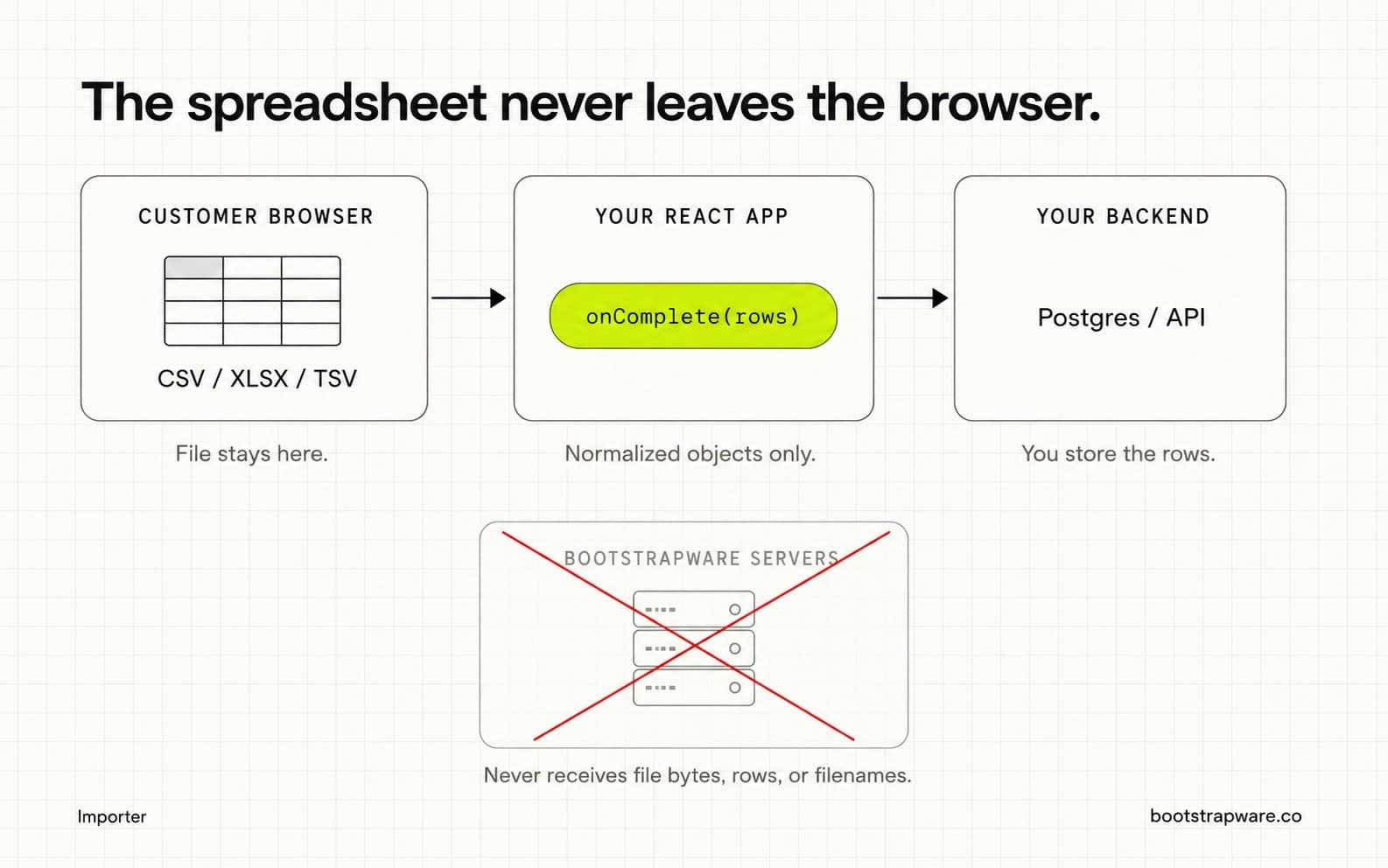
What never leaves the browser
- Uploaded file bytes
- Filenames
- Parsed spreadsheet rows
- Normalized row payloads and cell values
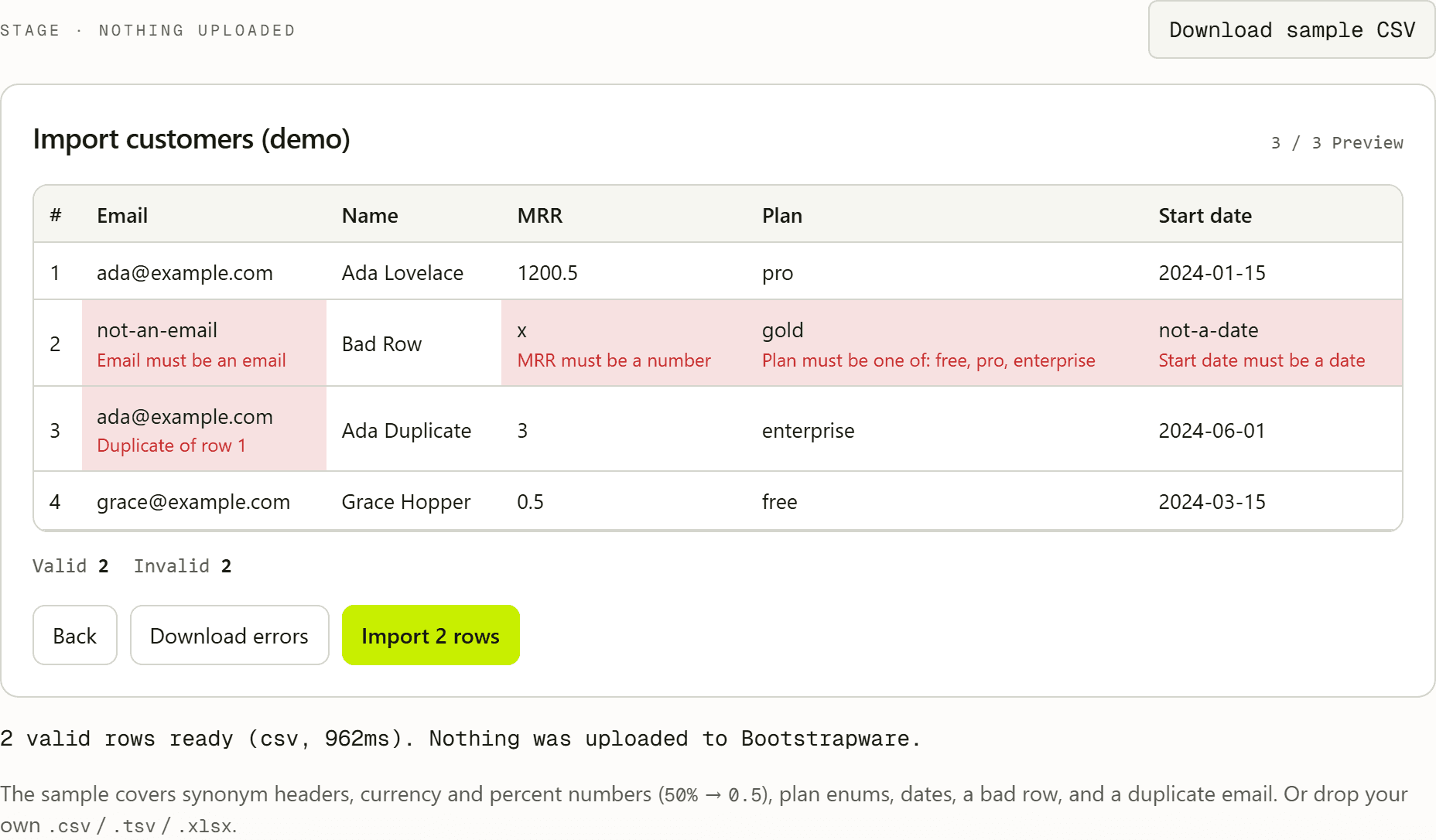
What Bootstrapware can receive
In hosted mode the service may receive operational metadata such as importer ID, session ID, file type, valid and invalid row counts, and duration. That is not a copy of the spreadsheet.
Hosted configuration (fields, labels, validation rules, published revision) is loaded so the component knows your schema. Configuration is not customer row data.
Confirmed column mappings can be remembered in the customer's browser localStorage (field keys and header names only). That history never goes to Bootstrapware.
Why this is a better sales answer
Instead of explaining temporary storage regions and retention for spreadsheet uploads, you can say: the import UI is Bootstrapware; the spreadsheet contents are processed locally and go from the browser to your application backend.
What you still own
Once onComplete returns rows, your privacy and security model takes over: authentication, authorization, backend validation, rate limits, storage, and retention.