
Security
Bootstrapware Importer security
Publishable vs secret keys
bsw_test_pub_/bsw_live_pub_: browser-safe for config and session metadata calls.bsw_test_sec_/bsw_live_sec_: server only. Never ship in client bundles orNEXT_PUBLIC_env vars.
Dashboard login uses a user session cookie, not a secret API key in the browser.
Local processing
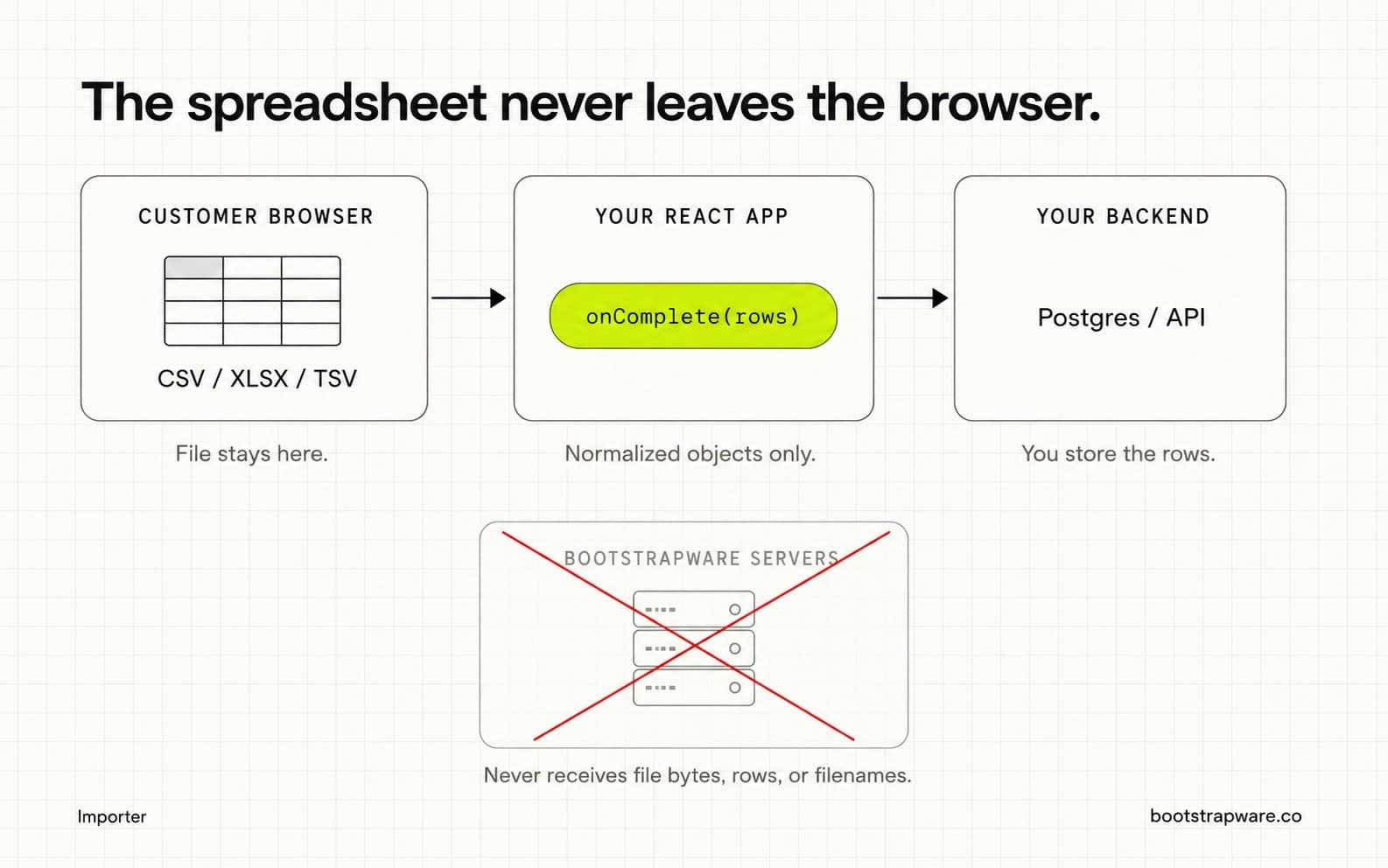
File bytes, filenames, parsed rows, and normalized objects stay on the customer machine until your app’s onComplete handler sends rows to your backend. Client validation is UX, not a security boundary. Re-check authz and constraints on the server.
Origins and CORS
Browser calls to the Importer API are subject to CORS via the service CORS_ORIGINS setting. Production deployments should list the exact origins of apps that embed hosted mode. This is not a substitute for keeping secret keys off the client.
Metadata Bootstrapware can store
Operational session fields such as importer ID, session ID, file type, valid/invalid counts, and duration. Not cell values or filenames. Webhook import.completed payloads follow the same rule.
Webhook signing
Deliveries POST JSON and sign the raw body with HMAC-SHA256. Verify header X-Bootstrapware-Signature (hex digest) using your endpoint secret.
What Bootstrapware cannot access
- Customer spreadsheet contents
- Your database
- Your application session cookies (unless you send them yourself)
- Rows after they leave
onCompletefor your API