
Bootstrapware Importer
CSV and Excel importer for React SaaS that never sees the spreadsheet.
$19.99 / month for production. Free for development. No seat tax.
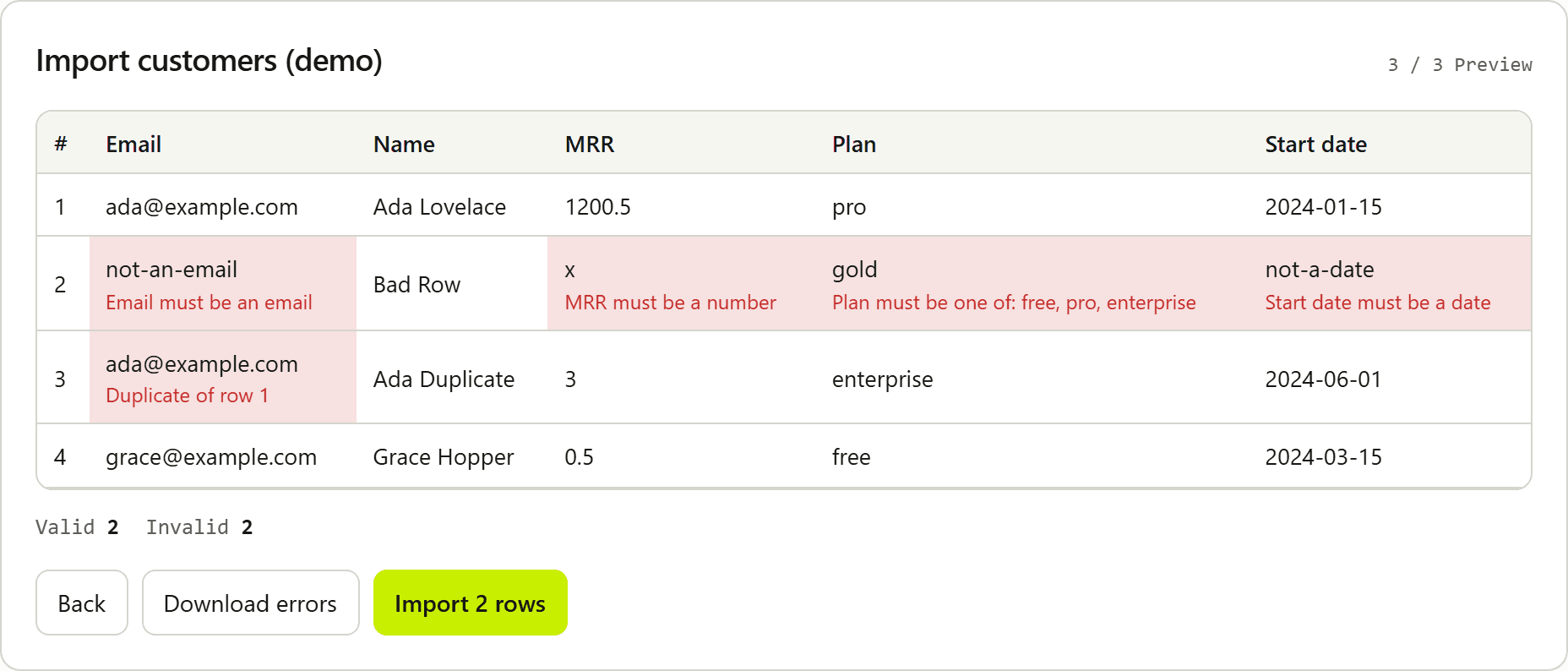
Try it
Same widget. Live in your browser.
Drop a CSV. Watch it stay local.
How it works
Three steps. File never leaves the browser.
01
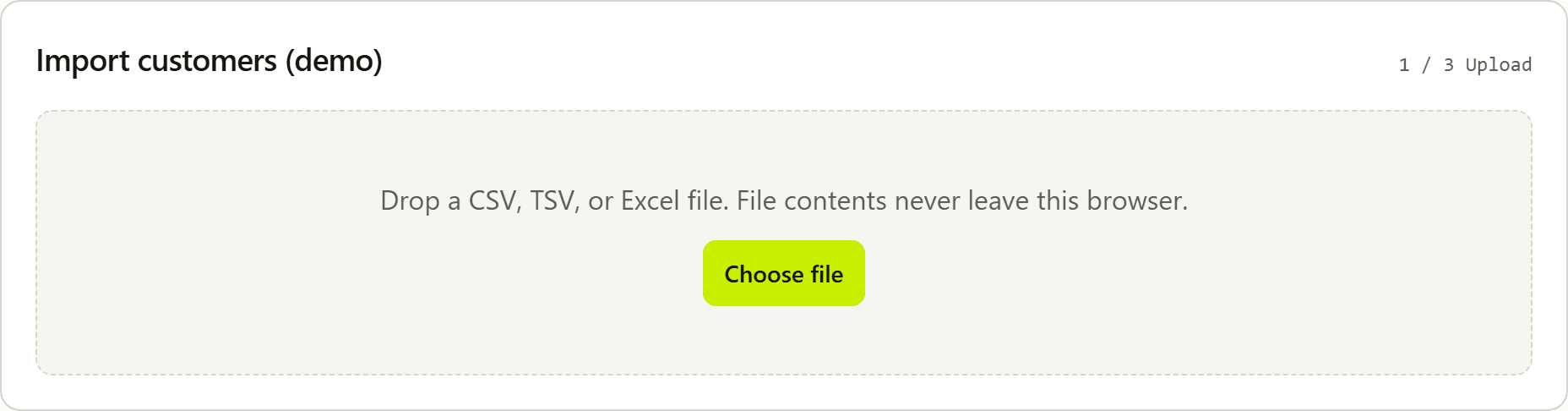
Customer uploads a file
CSV, XLSX, or TSV is parsed locally. Download template.csv builds a client-side file from the schema. Nothing is posted to Bootstrapware.
02
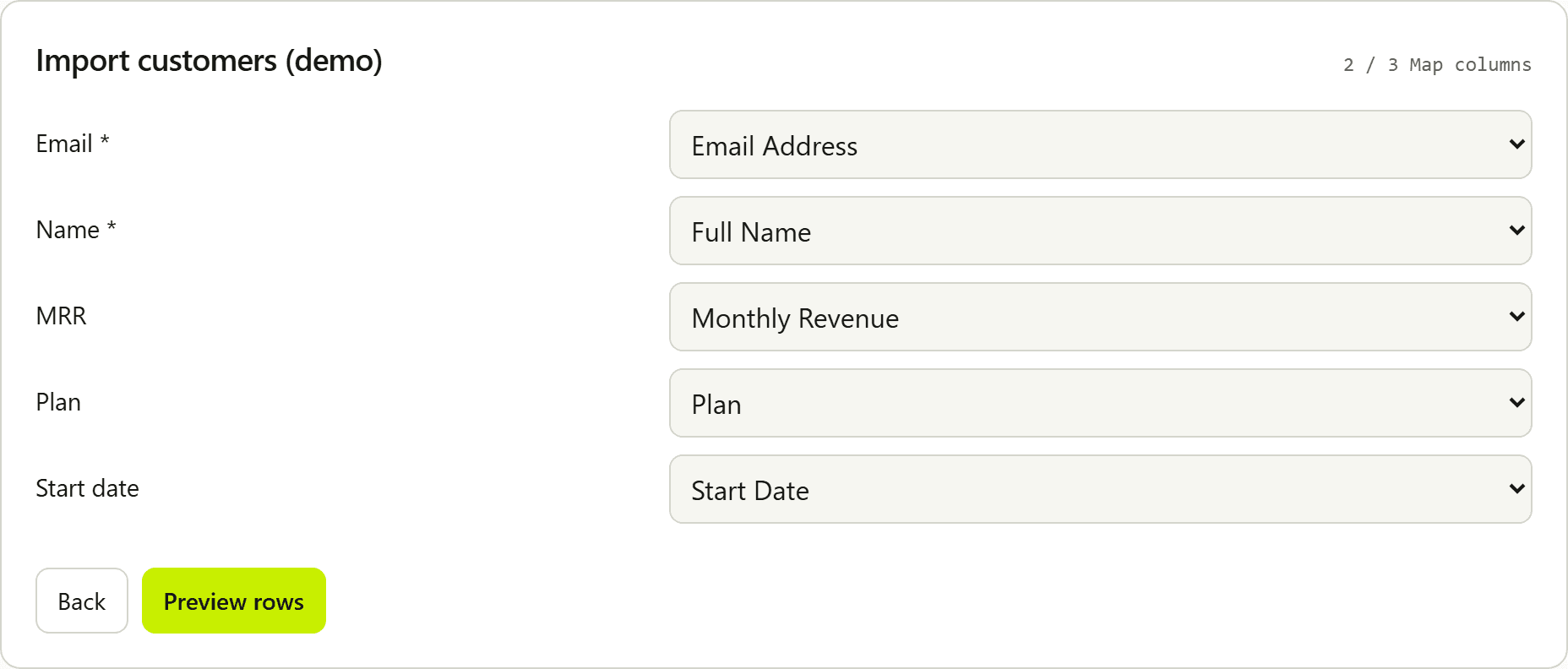
They map columns
Aliases auto-map headers like Email Address → Email. Required fields must be mapped before preview.
03
Preview, then you get objects
Inline errors, duplicate detection, failed-row export. onComplete sends normalized rows to your app.
Privacy by design
We host the configuration. You keep the data.
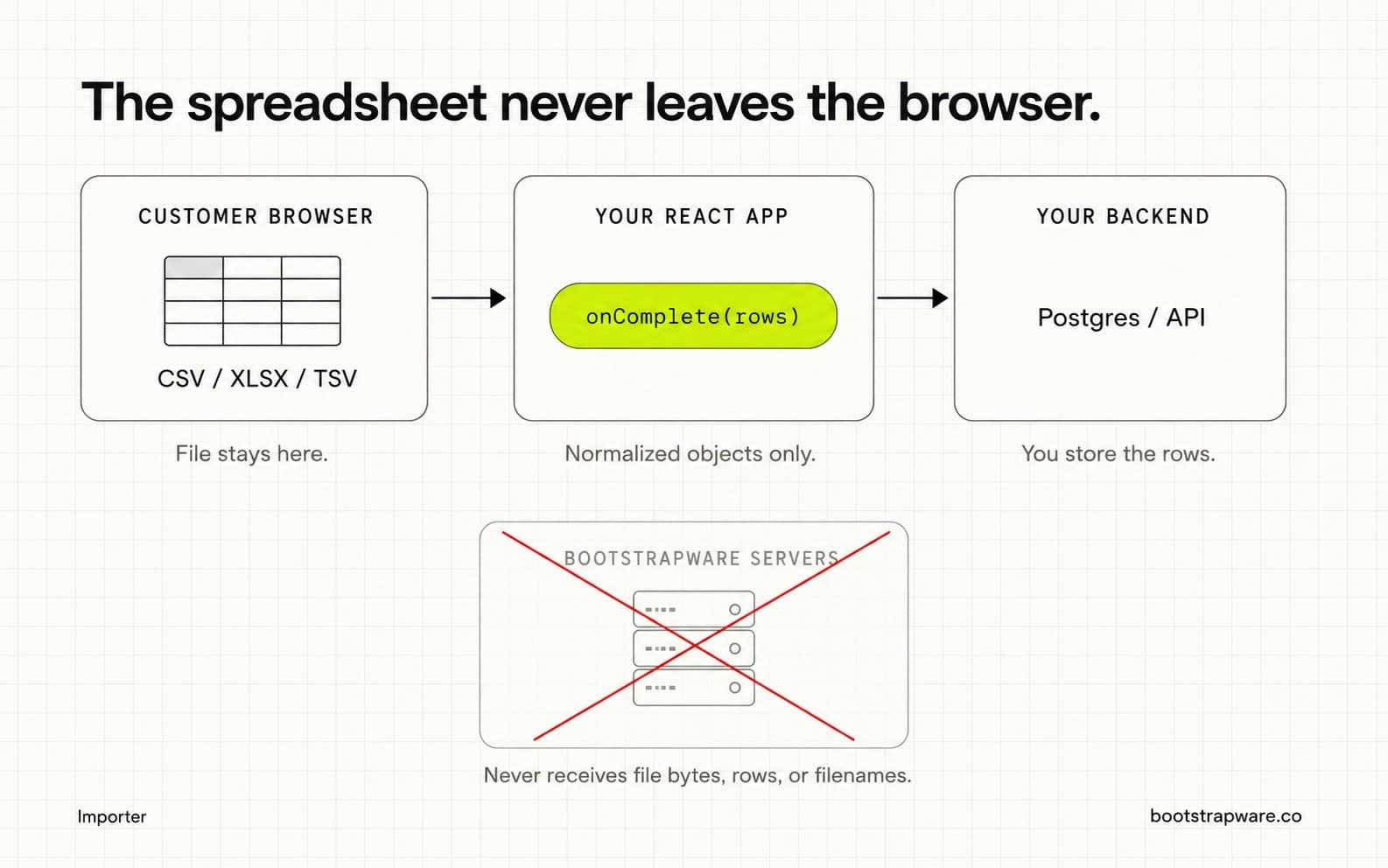
Never leaves the browser
- File bytes
- Parsed spreadsheet rows
- Normalized row payloads
- Filenames
What we can see
- Published field schema and branding
- Session start and complete events
- Valid / invalid row counts
- File type and duration metadata
Capabilities
The annoying spreadsheet workflow, already built.
CSV, XLSX, TSV, and pipe files
Parse common spreadsheet formats in the browser, including semicolon and pipe exports. Multi-sheet Excel includes a sheet picker.
Download template.csv
Once the local or hosted schema is loaded, the upload step generates template.csv in the browser. Headers match labels, or keys when a label is empty. One example row comes from field types.
Column mapping with aliases
Header auto-detection plus aliases for CRM-style exports. Manual remapping clears shared headers and blocks preview until required fields are mapped.
Typed validation that survives messy files
string, number, date, email, enum, boolean, url, required, and unique. Currency, EU decimals, percentages as fractions (50% → 0.5), mailto emails, MDY/DMY dates, and RTL layouts.
Preview and inline errors
Show the customer what will import and what will fail, while they still have the file open.
Duplicate detection
Catch repeated keys in the upload with duplicateKey or field-level unique so you do not insert the same user twice from one spreadsheet.
Install
One package. Typed React component.
pnpm add @bootstrapware/importer
"use client";

import { Importer } from "@bootstrapware/importer";
import "@bootstrapware/importer/styles.css";

export function ImportCustomers() {
  return (
    <Importer
      importerId={process.env.NEXT_PUBLIC_IMPORTER_ID!}
      publishableKey={process.env.NEXT_PUBLIC_BSW_PUBLISHABLE_KEY!}
      onComplete={async (rows) => {
        await fetch("/api/import", {
          method: "POST",
          headers: { "Content-Type": "application/json" },
          body: JSON.stringify({ rows }),
        });
      }}
    />
  );
}Fit
Built for small production SaaS.
Buy this if
- Customers need to bulk-upload users, contacts, or catalog rows from a spreadsheet
- You want mapping and validation without building the UI yourself
- Privacy matters and you do not want vendor servers holding customer files
- You are bootstrapped or self-funded and $599/month for imports is absurd
- You (or your coding agent) need a clean npm install and typed docs
Buy something else if
- You need enterprise data onboarding with complex pipelines and dedicated support
- You require SAML, multi-tenant governance, or fourteen permission levels
- Imports are a core product surface with deep analytics and custom workflows
- You need us to store, transform, or re-process spreadsheet contents on our servers
Pricing
Workspace pricing. No seat tax.
Dev
Free
Local fields schema or test keys forever. Full import UX for evaluation.
Production
$19.99 / mo
Live keys, publish without redeploy, webhooks, multiple live importers.
Client-reported session counts are operational information, not a metered invoice. Importer pricing, the pricing hub, and the stack calculator.
Guides
Answers for the prompts people actually give.
Comparison
When to buy someone else.
Agent-native
Tell Cursor to add a CSV importer. Hand it the docs.
Install @bootstrapware/importer. Add a Client Component using Importer
with hosted config (importerId + publishableKey from env). onComplete
should POST rows to /api/import. Never upload file contents to
Bootstrapware. Keep secret keys server-side only.
Follow https://bootstrapware.co/importer/docs/agents
Agent integration rules →
Honest limits
Deliberately smaller. Still production-grade.
- Not an enterprise data-onboarding platform.
- Not a place to store or reprocess customer spreadsheets.
- Not a substitute for your own domain validation and authorization on insert.
- Browser-based parsing has practical file-size limits. Huge batch ETL is out of scope.
FAQ
Questions founders ask first.
Does Bootstrapware see my customers' spreadsheet data?
No. Parsing, mapping, and validation run in the browser. File contents, parsed rows, and filenames never leave the customer's machine. onComplete delivers normalized objects to your app. You send those to your own backend.
What is included for $19.99 / month?
Live keys, published revisions without redeploying your app, webhooks, sessions, and multiple live importer configs. Local fields schema and test keys stay free forever. You pay for the production control plane.
Can I use it without the hosted dashboard?
Yes. Pass a local fields schema to the React component for development and evaluation. Hosted mode is for published configs, keys, and operational sessions.
Does it work with Next.js, Remix, and Vite?
Yes. It is a React Client Component. Use it in Next.js App Router Client Components, Remix client routes, and Vite React apps. Secret keys stay in your server routes.
How is this different from Updog?
Both keep files in the browser. Updog is an importer plus spreadsheet editor for very large grids. Bootstrapware is upload, map, preview, and onComplete. Production is $19.99 per workspace. See /importer/compare/updog.
How is this different from Dromo?
Dromo is more capable and priced for heavier data-onboarding teams. Bootstrapware covers the boring 20% most small SaaS products need: mapping, validation, preview, and a published schema at $19.99 / month.
Will an AI coding agent be able to integrate this?
That is the design goal. One npm install, typed props, AGENTS.md rules, and framework guides written for prompts like "add a CSV importer to this Next.js app."
Before you spend the weekend building CSV import, or $599 buying it, try this.
Production software without venture pricing.