
Features
Importer features
CSV, TSV, pipe, Excel, ODS, and JSON
Detect format by filename and parse in the browser: CSV, TSV, pipe, XLSX, XLS, XLSB, ODS, and JSON arrays of objects. UTF-8 and UTF-16 BOM stay Unicode. Bytes that are not valid UTF-8 decode as Windows-1252. Auto-detect comma, semicolon, tab, or pipe. The map step can override that separator for the open file. Multi-sheet Excel workbooks include a sheet picker.
DetailsPaste from clipboard
On the upload step, Paste from clipboard and Ctrl/Cmd+V parse text/plain, including a tab-separated copy from Excel or Sheets, with the same delimiter detection as a file. The text stays in the browser.
DetailsDownload template.csv
On the upload step, once local or hosted fields are known, customers can download template.csv generated in the browser. Headers use field labels, falling back to keys. One example row is derived from field type. Bootstrapware does not store the file.
DetailsColumn mapping
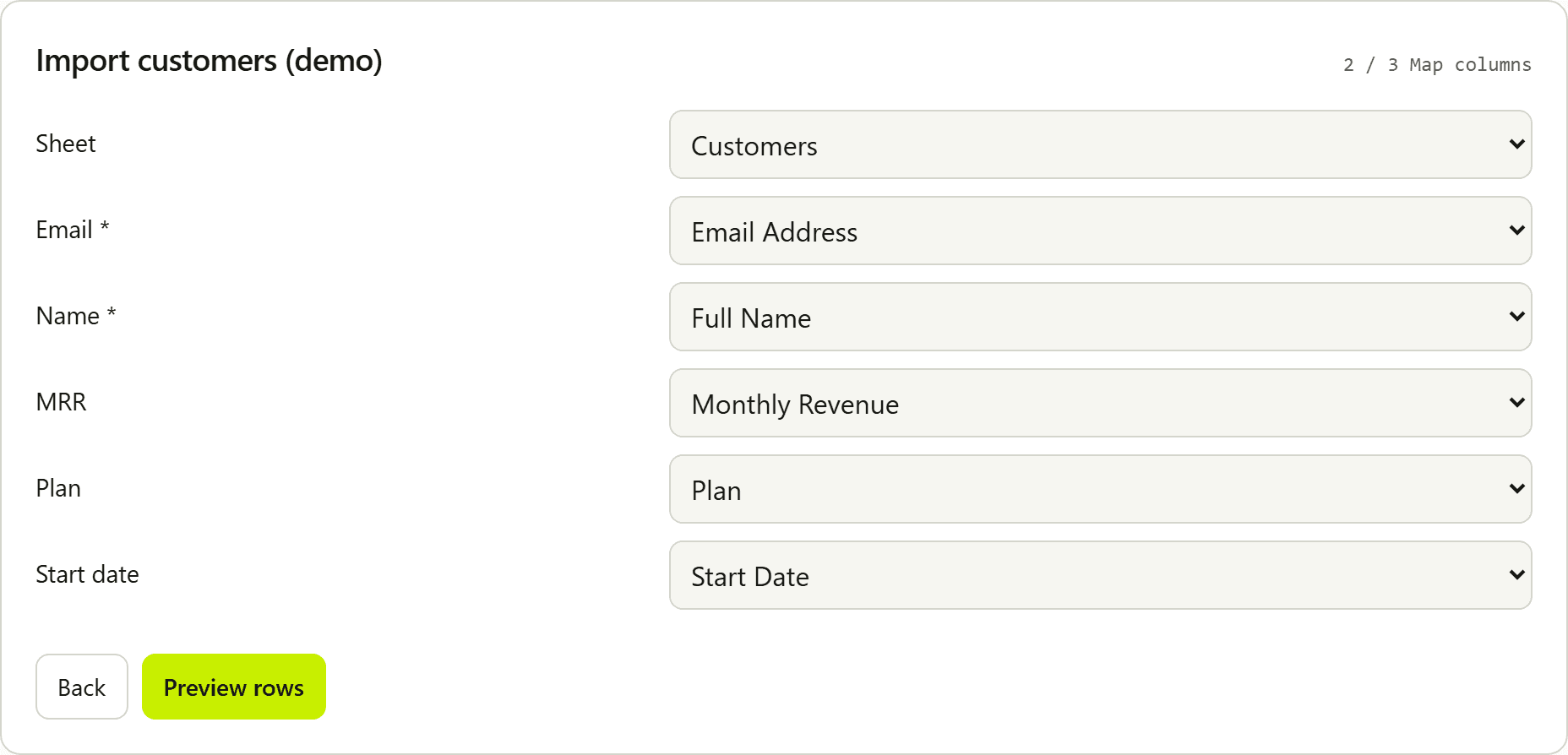
Auto-map headers with aliases, strongest match first. Users remapping a header clear it from other fields. Preview stays blocked until required fields are mapped. Confirmed maps are remembered in this browser. The map step lists spreadsheet columns the current mapping will not import.
DetailsEnum remap, validate, and transform
valueMap and a preview remap list turn an unknown enum cell into a canonical option or leave it invalid. A local schema can add sync validate(value, row), dependsOn, and transform(raw) before coercion.
DetailsTyped validation
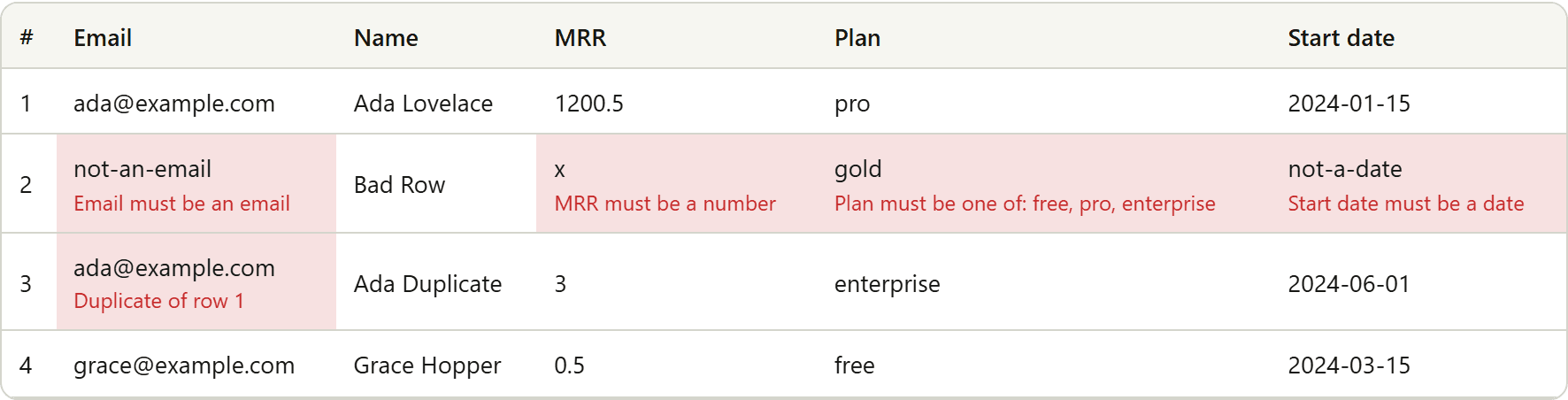
string, number, date, email, enum, boolean, url, required, and field-level unique. Currency, EU decimals, percentages as fractions (50% → 0.5), mailto emails, and MDY/DMY date order.
DetailsLocales that match the file
numberLocale us/eu/auto (semicolon CSVs prefer EU). dateOrder MDY or DMY. dir ltr or rtl for the widget chrome.
DetailsPreview
Counts reflect the full file. The preview table shows the first 100 rows so problems are visible before submit.
DetailsDuplicate detection
Configure duplicateKey and/or unique fields for in-file repeats (case-insensitive). Database uniqueness stays on your backend.
DetailsFailed-row export
Download import-errors.csv with field columns plus an Errors column so customers can fix and re-upload. Show invalid only filters the preview. Each valid row has an Include checkbox. Download valid rows writes import-valid.csv with the same normalized objects Import sends.
DetailsChrome copy and worker parse
strings overrides widget chrome copy. dir still sets RTL. Optional useWorker parses on a Web Worker and falls back to the main thread. Validation stays on the page thread.
DetailsWeb Component and upsert counts
The thin Web Component @bootstrapware/importer/wc mounts the same widget with bsw-importer.assign(props). React stays a peer. Optional primaryKey and existingKeys add meta.upsert counts for new, changed, and missing-key rows.
DetailsSection, modal, window, or launcher
presentation is section, modal, window, or launcher, with optional defaultOpen. theme is light or dark. Omit theme and the shell stays the light default. Hosts skin with --bsw-* tokens.
DetailsLocal or hosted schema
Pass fields in code for development, or publish a revision and load it with importerId plus a publishable key.
DetailsConfiguration revisions
Edit a draft without changing what live clients load until you publish a revision.
DetailsTest and live environments
bsw_test_* and bsw_live_* keys. Live hosted configuration requires a paid Importer entitlement.
DetailsOperational sessions
Hosted mode can report session metadata such as counts and file type. Never file bytes or row payloads.
DetailsWebhooks
import.completed deliveries with HMAC signing. Metadata only. No spreadsheet contents in the payload.
DetailsBrowser-side processing
Parsing, mapping, validation, and normalization run on the customer's device. onComplete is your data path.
Details